
The short answer: anywhere from $269 to $2,500 up front for the older desktop-era estimating suites, or roughly $79 to a few hundred dollars a month for the subscription tools. That is before setup fees, training packages, and the two to six weeks of configuration most of them need before you send your first quote.
The longer answer is worth five minutes, because the sticker price is rarely the real price in this category.
FieldVue Comes Ready To Work.
One-time licenses. The estimating programs that have been around since the desktop era sell a license outright, typically $269 to $2,500 depending on the package. You own it, which sounds good until you factor in what it takes to make it usable.
Monthly subscriptions. The newer web-based tools charge per month, commonly starting around $79 and climbing with tiers, users, or features. Some charge per seat, so a three-person operation pays three times the advertised number. Read the per-user fine print before you compare anything.
Percentage cuts. Some of the generalist field-service platforms are cheap or free to enter, then take a percentage of the payments that flow through them. On a $6,000 exterior, a 3 percent processing markup is $180. That is a real cost. It just never appears on the pricing page.
The price on the pricing page is only one number.
Compare the first-year cost, setup time, per-user fees, payment cuts, and the time it takes before you can actually send a quote.
The questions to ask any vendor
Put these to anyone selling you estimating software, including us.
- What is my total first-year cost?
License plus subscription plus setup plus training plus per-user fees. One number. - Do you take a cut of my jobs?
Per-job fees or payment percentages mean the price scales with your success. - Can I send a quote today?
If the answer involves a setup call, a boot camp, or onboarding, the real cost includes your calendar. - Does it come loaded, or do I build it?
Production rates and paint products should exist on day one. Editable, but existing. - Are the rates calibrated to anything?
Industry standard should mean a named standard, not a vibe. What that actually means. - Was it built for a phone?
You quote in driveways, not at desks. Desktop software squeezed onto a phone screen behaves like exactly that. - Can I leave?
Month to month or contract. And what happens to your customer data if you go.
Any vendor who answers all seven plainly is worth a trial. Any vendor who dodges number one or number two is telling you something.
Where FieldVue sits
We are in this category, so here are our own answers to the seven questions.
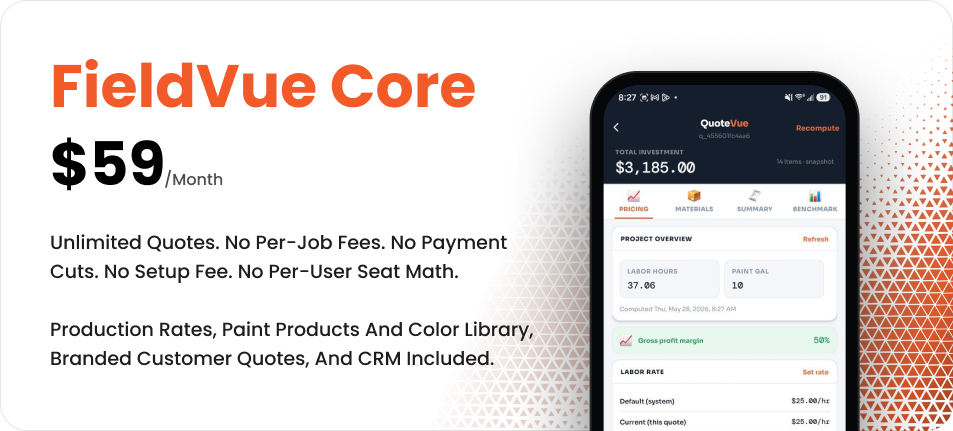
It arrives loaded. Production rates for every service item a painting contractor quotes, calibrated to PCA and MPI standards. 151 paint products across 17 brands with real coverage and pricing. 16,948 colors with the actual color chips that render on the quote your customer sees. All of it editable to your rates and your discounts.
There is no setup call. The honest expectation is that you open the app, set your labor rate and margin, and send your first quote the same day.
The trial is 5 sent quotes. Free, no credit card, no expiration date. Drafts do not count against it. If the tool does not earn the subscription by the fifth quote, it should not get it.
The cost that matters more than the software
A tool that runs the wrong method faster is not an improvement. Before you compare prices, be clear on what you want the software to do differently than what you are doing now.
If the answer is “make my quotes look better,” almost anything in the category will do that and you should buy on price. If the answer is “tell me what the job actually costs so I stop finding out afterward,” the question is whether the tool has a real pricing method underneath it or just a nicer template.
The second kind is worth paying for. The first kind is a filing cabinet.